Amenities data not appearing - Yardi ILS Guestcard
Last updated: April 28, 2026
Amenities will not appear in Propexo's endpoints unless they are properly mapped in Yardi. Amenities must meet two conditions - they must be associated with a unit or property, and they must have a corresponding MITS amenity mapping value.
The level at which an amenity appears in Propexo's endpoints is determined by which MITS mapping values you configure in Yardi. You can designate amenities at the property level, the unit level, or both.
Property level only - Set a MITS property level mapping for the amenity, and leave the unit level mapping blank.
Unit level only - Set a MITS unit level mapping for the amenity, and leave the property level mapping blank.
Both property and unit level - Set both a MITS property level mapping and a MITS unit level mapping for the amenity.
If your amenities are not appearing in Propexo's endpoints, verify the following:
The amenity is associated with a unit or property in Yardi
The amenity has at least one MITS amenity mapping value configured
The mapping level (property, unit, or both) matches where you expect the amenity to appear
Once the correct mappings are in place, your amenities will be returned through Propexo's endpoints on the next sync.
To check if an amenity is mapped to a property or unit:
In Yardi Voyager, search for Setup > Find Property or Setup > Find Unit depending on the association you'd like to check.
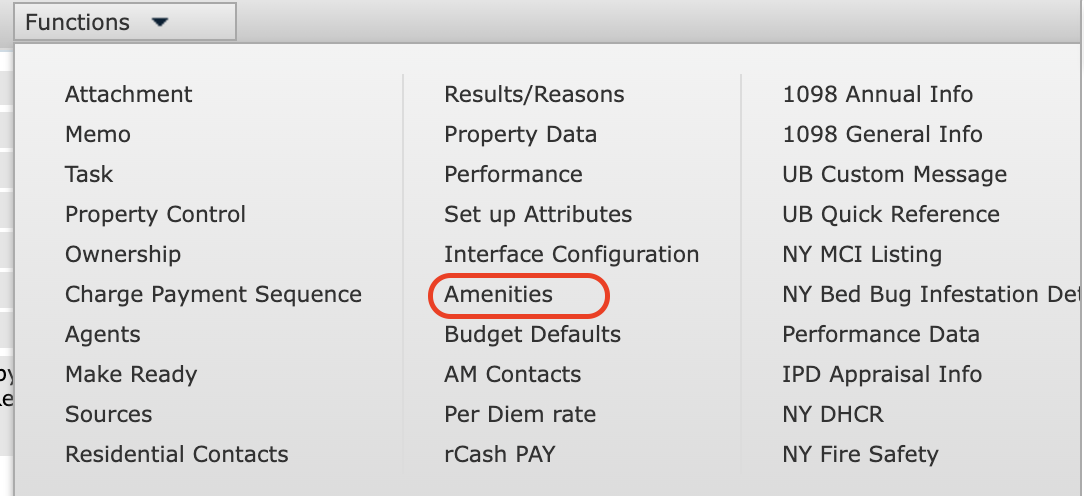
From there, click the 'Functions' button, then select 'Amenities' to view amenities mapped to that unit or property.
To view or update an MITS mapping value:
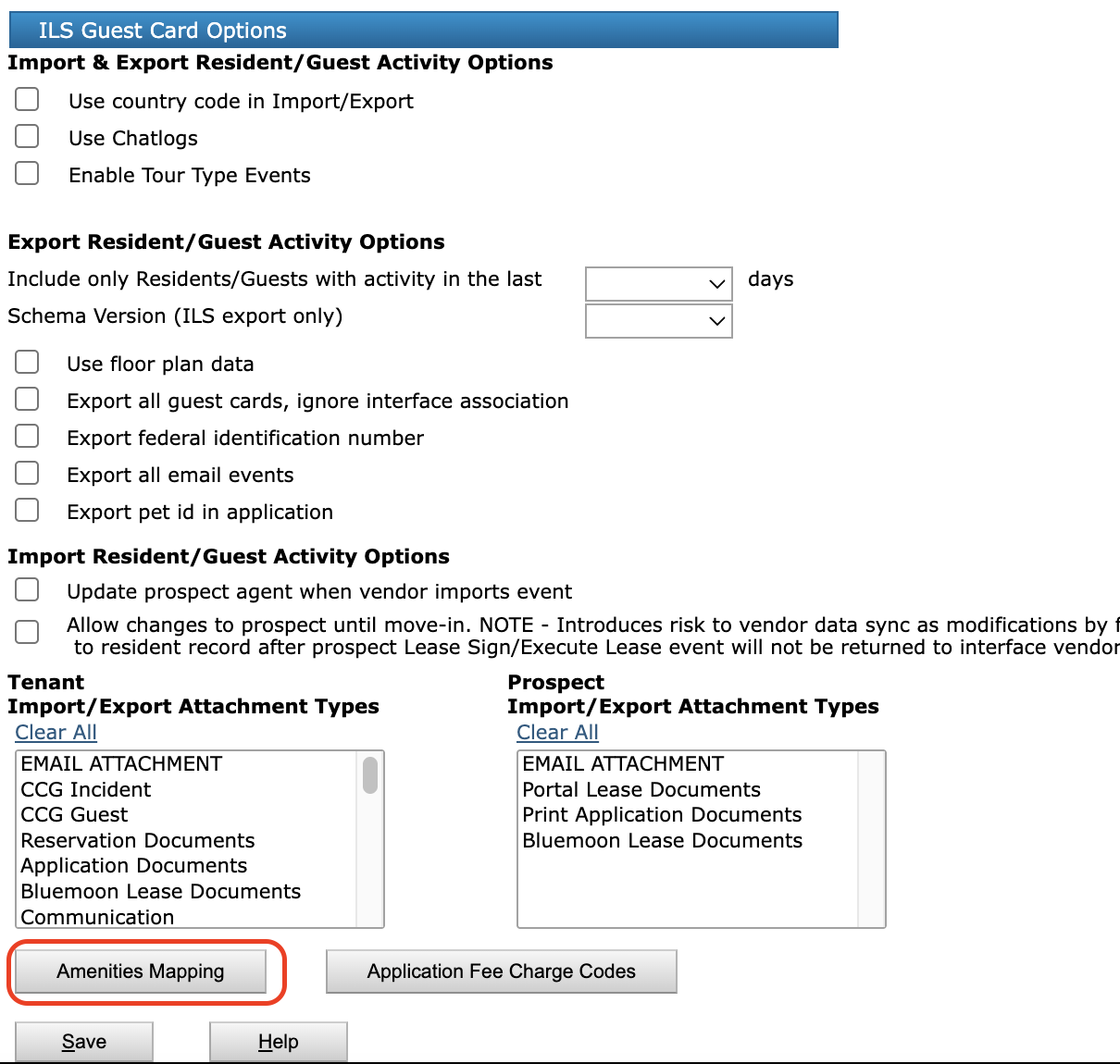
Got to Interfaces > Configuration > Review Interface Vendors. Select ILS/Guest Card as the interface, then search for and select your vendor. On your vendor page, select Amenities Mapping to view or update an MITS code.