Partner Setup Links
Last updated: September 21, 2026
What it is
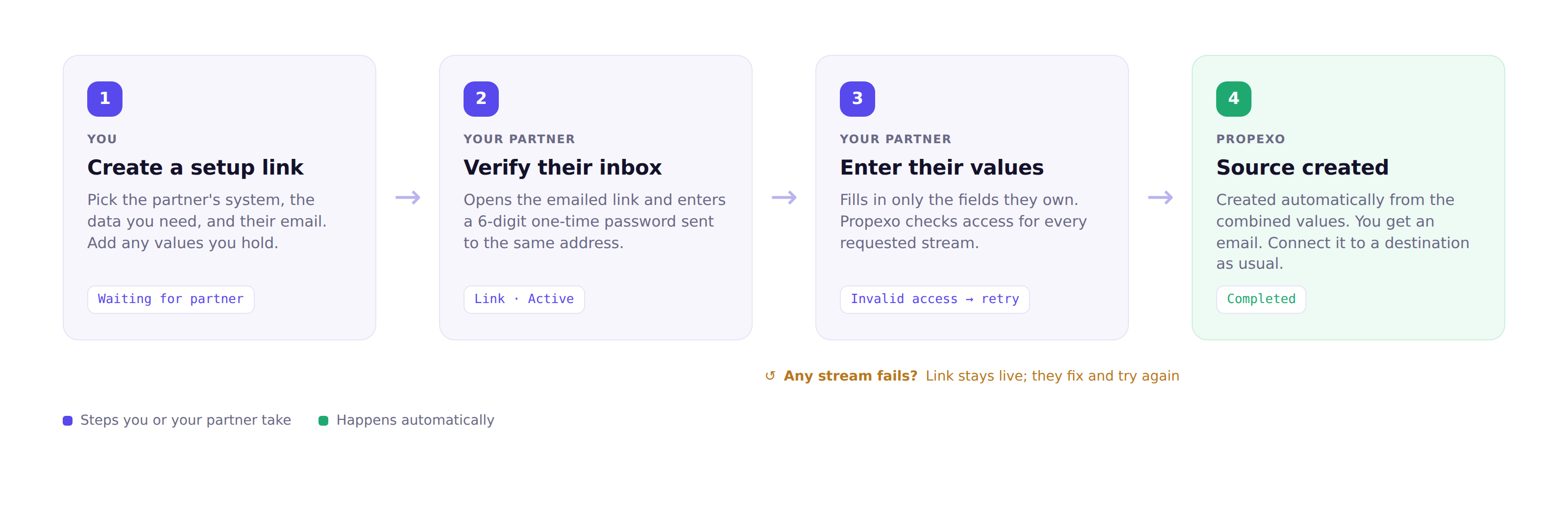
Partner Setup Links lets you collect source-system access from a partner without ever handling their credentials. You create a setup link in Propexo Connect, fill in the configuration values you hold, and email it to your partner. Your partner opens the link, confirms their inbox with a one-time password, enters only the values they were asked for, and sees immediately whether access works. When it does, the source is created in Connect and you're notified. There is nothing left for you to do.
The problem it removes: you don't always hold every credential for a source system, because some belong to a partner. Until now there was no safe, simple way for that partner to hand over access, so onboarding stalled or credentials got passed around insecurely.
Who it's for
Two people are involved, and neither needs to be technical.
Role | Who they are | What they do |
|---|---|---|
Requester | You, the Connect customer. You own the relationship with the partner and the outcome. Comfortable configuring a source in Connect, but not a specialist. | Creates and sends the setup link, supplies the values they hold, and connects the source once it exists. |
Partner | Your partner and the true owner of the source data. No Connect account, varying technical skill. | Opens the link, confirms their email with a one-time password, and enters only the values they were asked for. |
You decide everything about scope: the source system, the requested data streams, and the partner's email. The partner cannot expand or narrow what is asked of them.
How it works
Four steps. You only act in the first; steps 2 and 3 are your partner's, and step 4 happens automatically.
1. You create a setup link
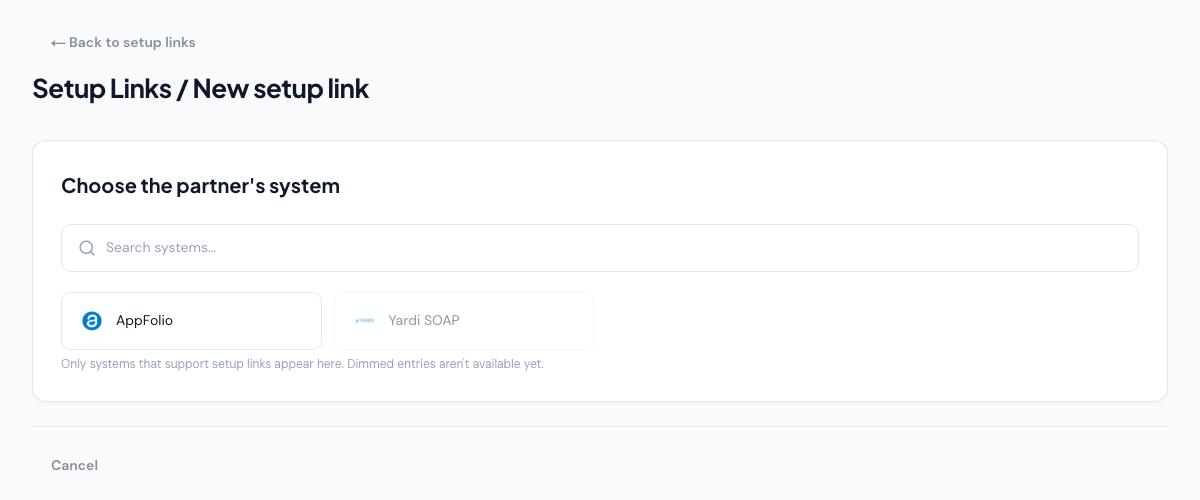
In Connect, go to Partners → Setup Links and click + New setup link. Choose your partner's source system.
Then enter a partner name, your partner's email address, and the data you need. If the system needs configuration values that you hold yourself, you enter those here too; your partner is only asked for what you can't supply. Click Send setup link. The link is live for 30 days.
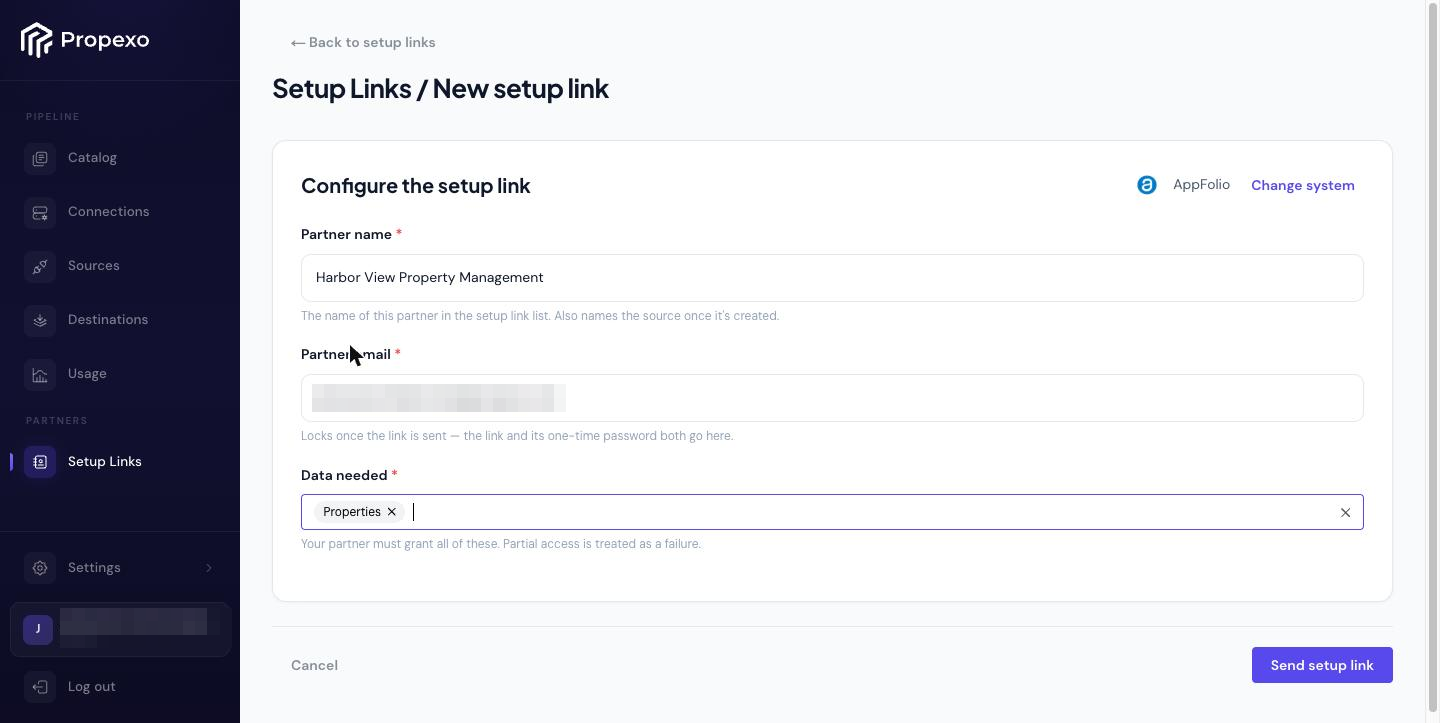
Three things are locked once you send: the source system, the data requested, and the partner's email. Choose the email carefully, because it is also where the one-time password goes.
2. Your partner verifies their inbox
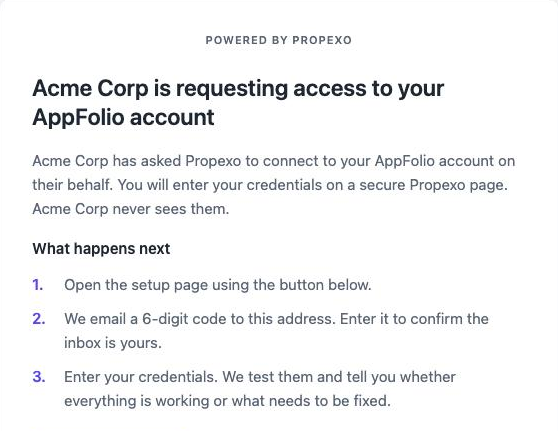
Your partner gets an email that names your company and explains the three steps. The link takes them to a Propexo page that again says who is asking and why.
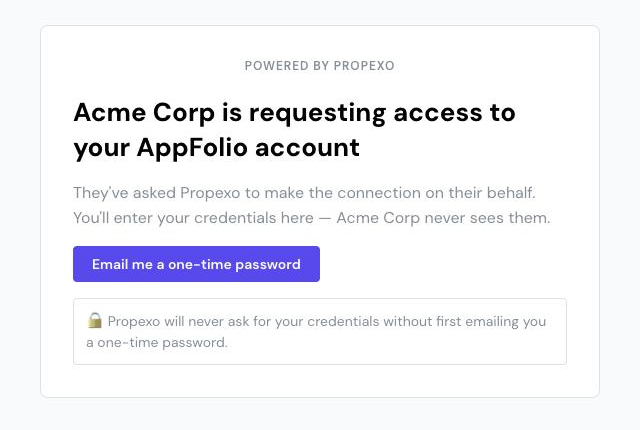
Before any credential field appears, they request a 6-digit one-time password. It is emailed to the same address the link went to, and it expires in 5 minutes.
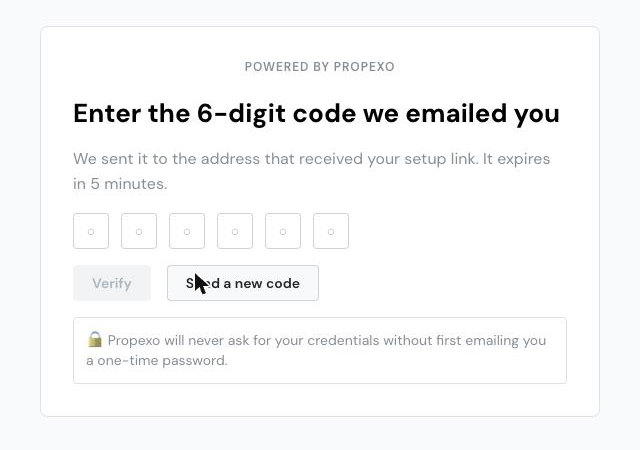
The link and the one-time password both go to your partner's inbox, so a forwarded or leaked link alone is not enough to reach the credential form.
3. Your partner enters their values and gets an immediate answer
The form shows exactly what you asked for and only the fields your partner needs to fill in. For AppFolio that is the Developer ID, Client ID, and Client Secret.
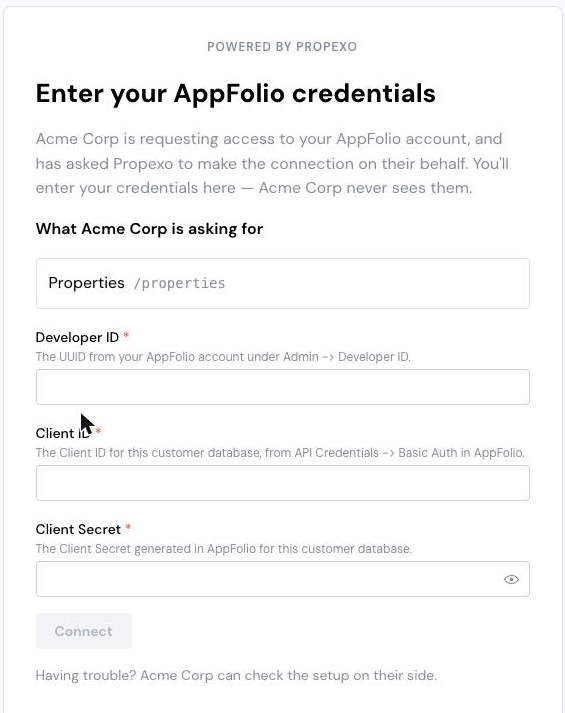
When they click Connect, Propexo checks access against every requested data stream and shows them which passed. If anything fails, the link stays live so they can fix permissions and try again. All requested streams must pass; partial access is treated as not done.
4. The source is created and you're notified
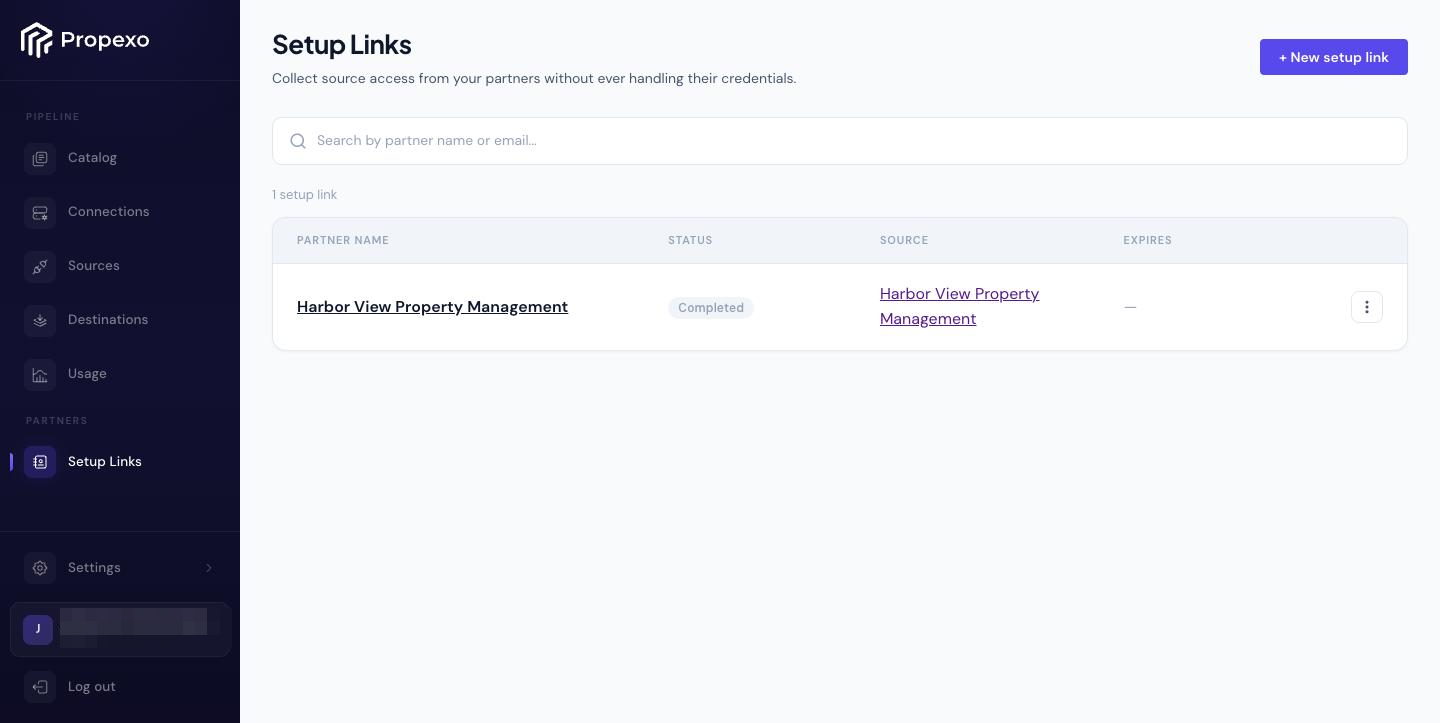
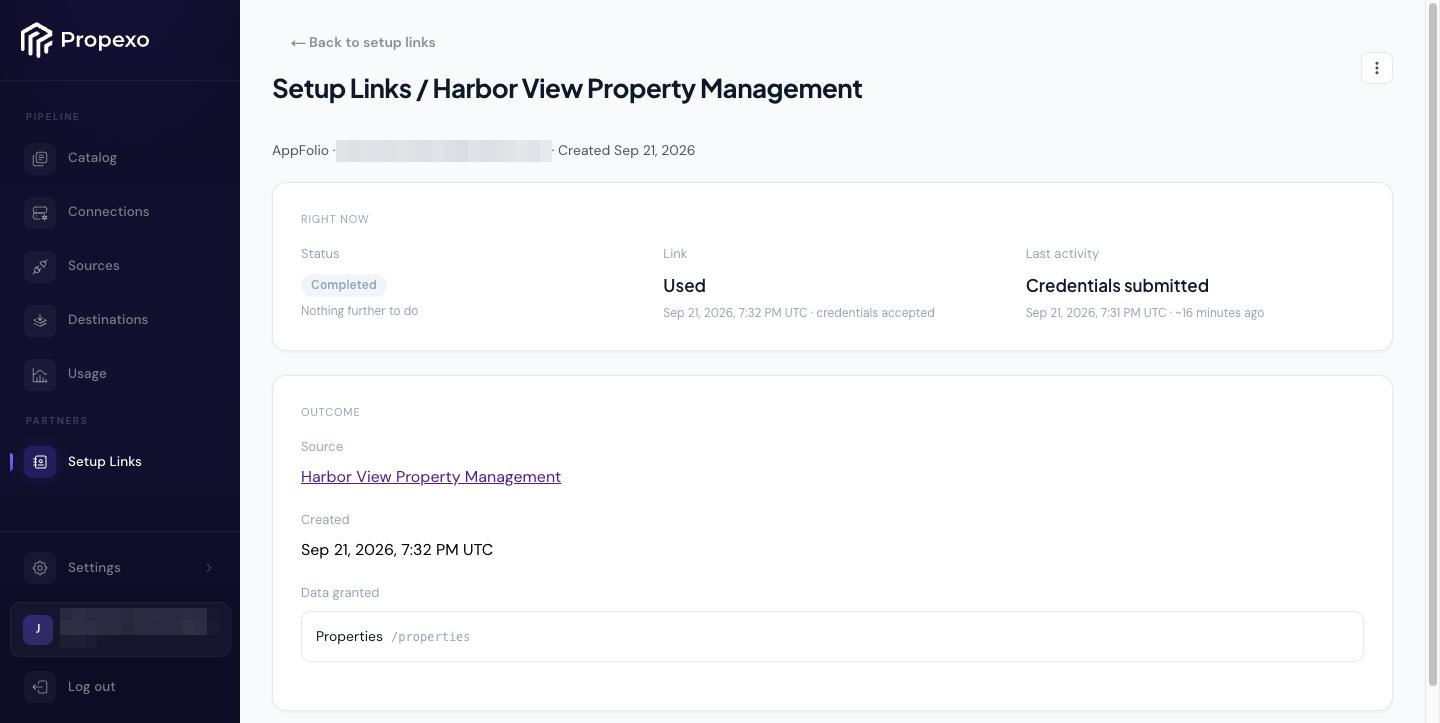
On success your partner sees a confirmation, the source is created in Connect from the combined values, and you get an email. The setup link shows Completed with the source it produced.
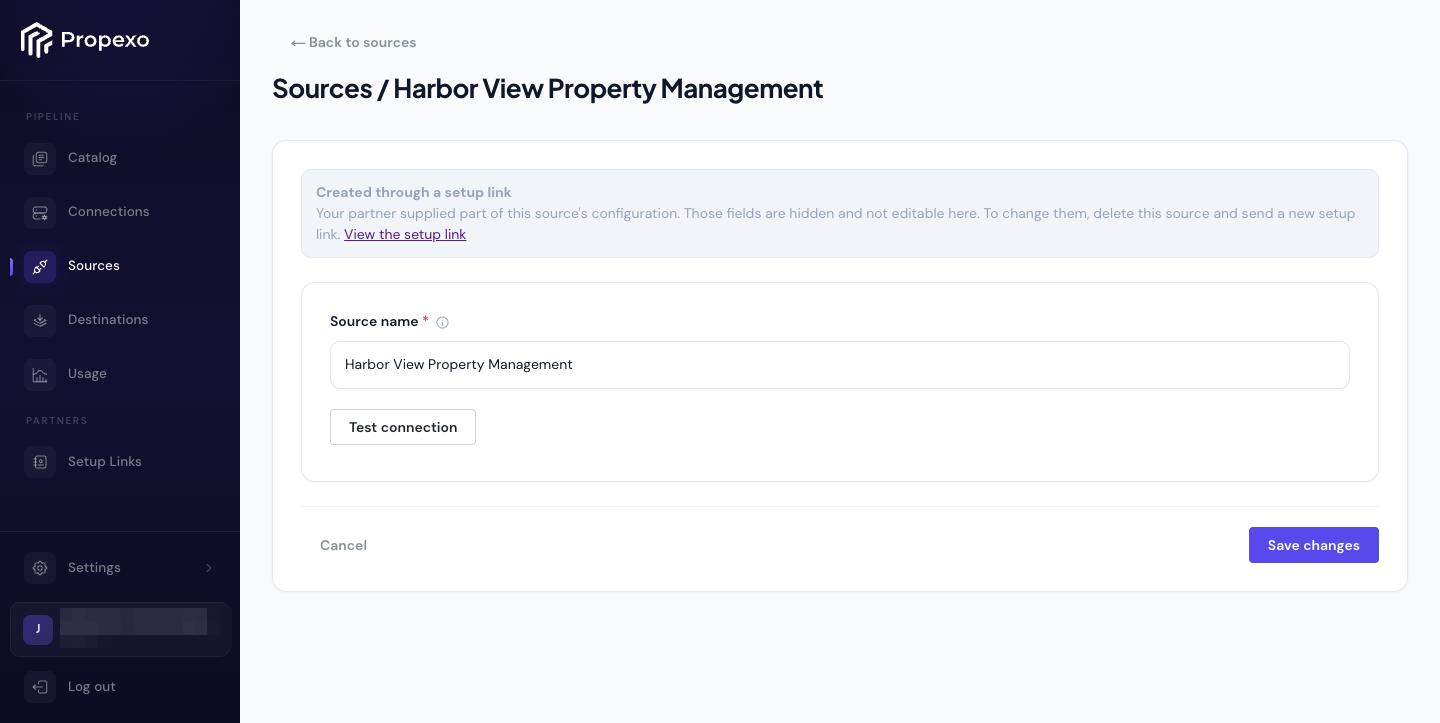
The source appears in Sources like any other, with a note that part of its configuration came from your partner. Those fields are hidden. Connect it to a destination the same way you would any source.
Setup link statuses
Status | Meaning | You can |
|---|---|---|
| Link is live; your partner hasn't submitted yet. | Resend or delete the setup link |
| Your partner has submitted at least once and the access check isn't passing. The link is still live. This may be their permissions or one of your own values. | Fix your own values (no new link needed), resend, or delete |
| The link ended on its own: the 30-day window elapsed, or your partner failed the one-time password three times. The setup is intact. | Resend a fresh link, or delete |
| Source created. Terminal; configuration is read-only. | Nothing; delete the source if you need to start over |
FAQ
Does the source start syncing when the partner finishes? No. A setup link produces a source, not a connection. The
Completedemail is your cue to connect the source to a destination as usual.The partner says the link doesn't work. What now? Only you can fix this. Click
Resend setup link, which kills the old link and issues a fresh 30-day one to the same address. A dead link shows the partner a generic page with no explanation, so tell them a new one is coming.Three wrong one-time passwords, and the link is gone? Yes. Three failed verifications per link disable it and the setup moves to
Link disabled. Requesting a new code never adds attempts. Resend the link to start over.Can I change the partner's email, the streams, or the source system after sending? No. Those are locked in when the link is sent. Delete the setup link and create a new one. Partner name and your own configuration values stay editable until the setup is Completed; after that the configuration is read-only.
Invalid access— whose fault is it? Either side's. Your partner may lack permissions on a requested stream, or one of your own values (an API key, say) may be wrong. You can edit your own values without sending a new link; your partner just retries.Can two setup links go to the same partner? Not at the same time. One live link per email address across the whole account. Sending to an address already in flight is refused with a pointer to the existing setup link.
Will this look like phishing to the partner? It is designed not to: Propexo-only branding, the requesting company named on every screen, a consistent sending identity, and the rule that Propexo never asks for credentials without first emailing a one-time password. Still, the single best mitigation is to tell your partner it's coming before you send it.
How do I re-authenticate a completed setup? Delete the source (the setup link goes with it) and create a new setup link. This produces a new source; anything attached to the old one must be re-attached.
Does Propexo ever see the partner's credentials? Propexo stores them in its secrets manager from the moment they arrive and never logs or displays them. You never see them either; partner-supplied fields are hidden on the source screen.