PMC Setup: Enabling API Access in Entrata
Last updated: August 12, 2026
Your integration partner uses Propexo to connect to your Entrata account. Before that integration can go live, you need to enable an API user for their vendor account in Entrata. Here’s how:
Log in to Entrata.
Locate your Company ID, which can be found in the URL. For example, if your Entrata URL is
realestate.entrata.com, the company ID isrealestate. Share this ID with your integration partner — they’ll need it to finish setting up the integration.Navigate to API Access Settings: from the dashboard, hover over the Apps menu, then select API Access.
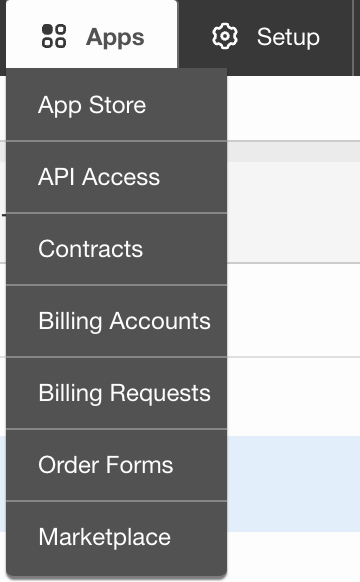
On the following page, select add API User. Search for your integration partner’s name, click enable access, set the included properties, and then the required permissions. Click agree to the API terms at the top.

The username and password generated at the end of this process can be ignored.
Once access is enabled, let your integration partner know so they can finish setting up the integration.