How to Enable Usage Monitoring Email Alerts
Last updated: October 27, 2026
Summary
Propexo can send you a daily email with your usage so you can keep an eye on activity without logging in to the dashboard. This article explains how to turn on usage monitoring email alerts.
Steps
Log in to the Propexo dashboard.
Go to Settings.
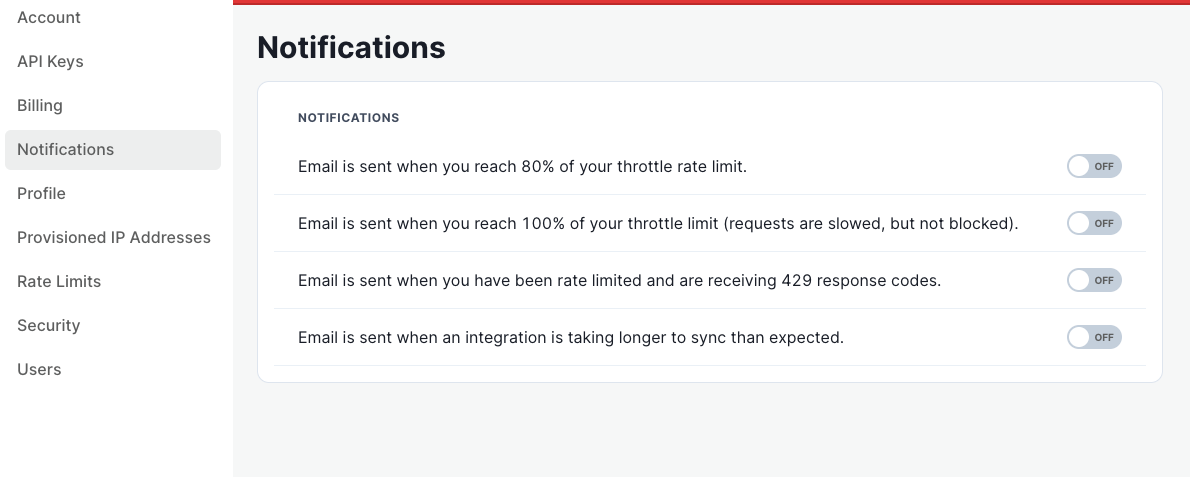
Select Notifications.
Turn on the usage monitoring email alerts.
What to Expect
Once enabled, usage monitoring emails are sent daily.
You can return to Settings > Notifications at any time to turn the alerts off.
If you don't see the emails after enabling them, check your spam or junk folder and contact Propexo support if the issue persists.